

The amount of space you’ll need for a longarm quilting machine depends on two things — the size of the machine, and which frame or table you set it up on.
If you’ve decided the Moxie is your dream machine, there are still a few choices to make. Maybe you already have a dedicated space at home, so you know exactly how much room you’ve got to work with. Or maybe you’ve chosen your machine and frame, and now you need to find (or build) the perfect spot for it.
This guide will help you figure out which Moxie machine and frame combination will suit your space. Or if you know exactly which model you want, this will tell you how much room you’ll need — so you can start rearranging rooms, planning that new sewing studio.
The Moxie Family
There are three brilliant machines in the Moxie family. Which one fits your style?
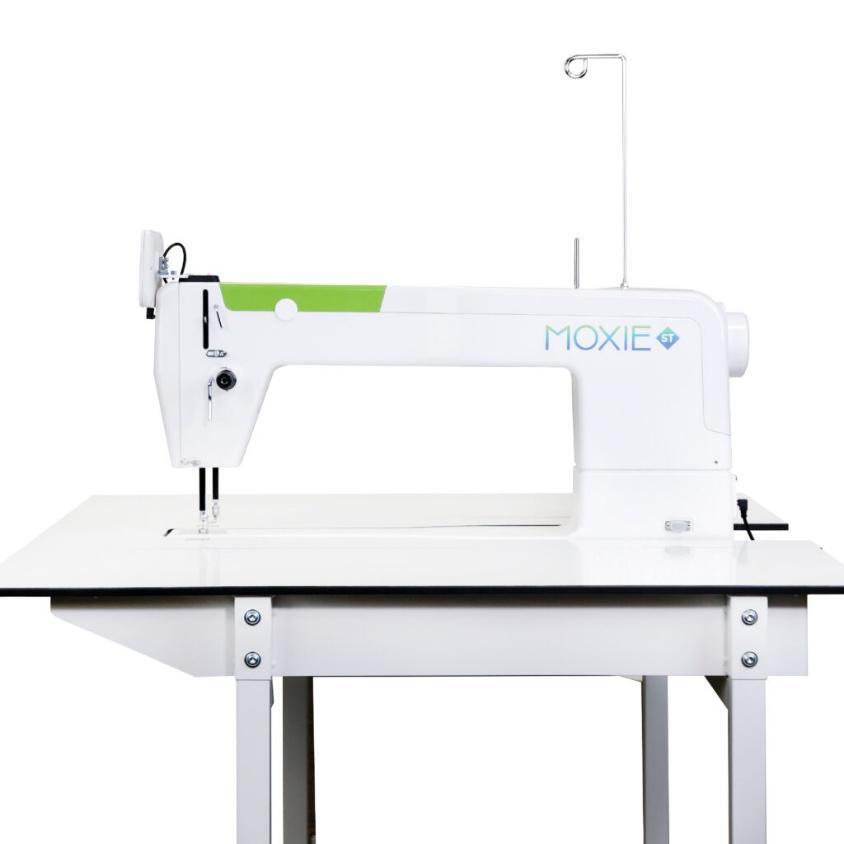
- Moxie ST: A stationary longarm machine for quilters who love moving fabric under the needle. Perfect if you’re really tight on space — with 18 inches of throat space and built-in stitch regulation.
- Moxie: A moveable machine mounted on a frame, with a 15-inch throat and everything you need to get quilting.
- Moxie XL: The same easy-to-use machine as the original Moxie, but with 18 inches of throat space and new features for a smoother quilting experience.

Frames and Tables for the Moxie Machines
There are two frames compatible with the moveable Moxie models (the Moxie and Moxie XL): the Loft Frame and the Little Foot Frame. The Loft Frame comes in two size options.
The Moxie ST comes with its own custom-fit InSight Table, and you can add side extensions for extra workspace. Let’s look at how much space you’ll need for each set-up.
Moxie XL — How Much Space Will You Need?
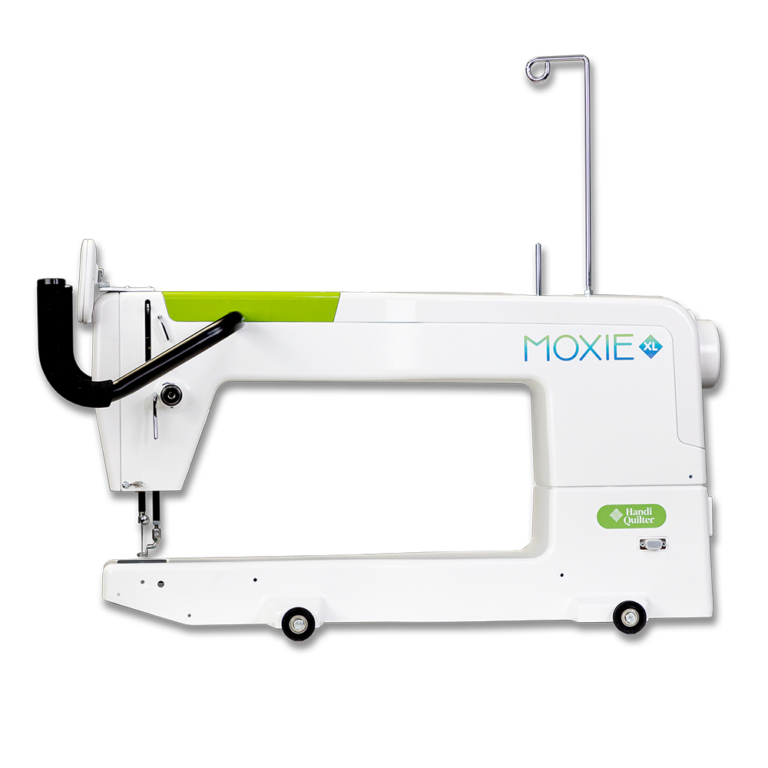
The Moxie XL gives you the same fun quilting experience as the original Moxie, but with more throat space and practical features like bright lighting and an easy-to-use touchscreen.
- Little Foot Frame size: 5 feet long — ideal for small spaces where you want a moveable machine but not a huge frame. Optional frame conversion kit required to convert frame to use the Moxie XL
- Quilting area: 14” x 48”.
- Adjustable frame height: 33”–44”.
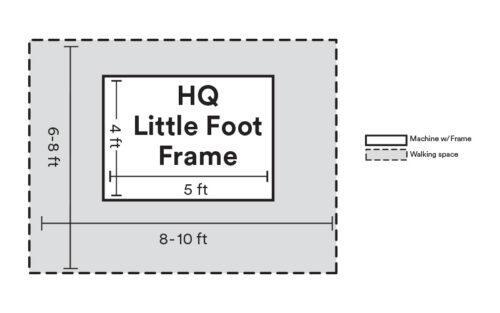
- The actual frame footprint is 4 feet by 5 feet. You’ll also need room to move around the frame as you quilt — plan for about 6.5–8 feet wide if you place one short side against a wall.
- Comes with Easy-Grasp Clamps, Super Clamp and Hold-Tight Clamps to secure your quilt sandwich.
- For quilts up to 48 inches wide, you can use the Little Buddy attachment to load your quilt without basting and advance it easily.
Option 1: Moxie XL on the Little Foot Frame
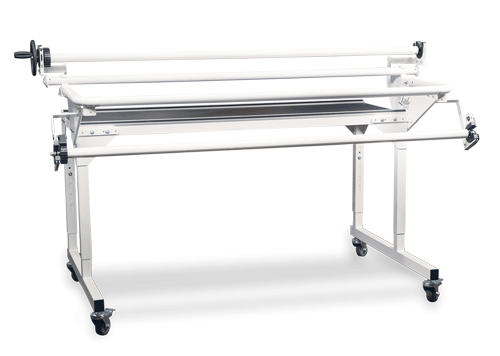
Option 2: Moxie XL on the Loft Frame
- Loft Frame size: 8 feet long, with an optional 2-foot extension to make it 10 feet.
- You don’t need to baste before loading — saving you time!
- The actual Loft Frame footprint is about 4.5 feet by 8–10 feet.
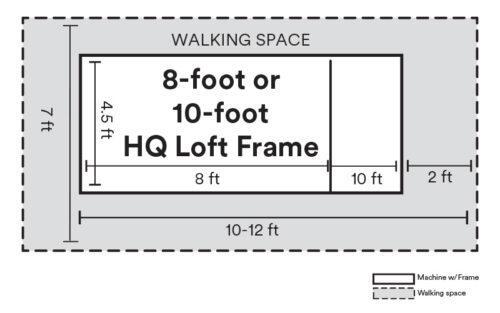
- Allow extra space to move around — plan for 10–12 feet total width if you place one side against a wall.
Diagram: Below is the diagram for the Moxie XL set up on the Loft Frame, showing the space needed for the frame and machine (white area) plus the room you’ll need to move comfortably around it while quilting (grey area). Remember, you can add a 2-foot extension to the Loft Frame to make it a 10-foot frame if you need more quilting space.
Diagram of an 8-foot or 10-foot Loft Fram
Tip: You can place one side of the frame against a wall to save space. Doing this reduces the total width needed to around 10–12 feet instead of the full 12–14 feet.
Moxie — How Much Space Will You Need?
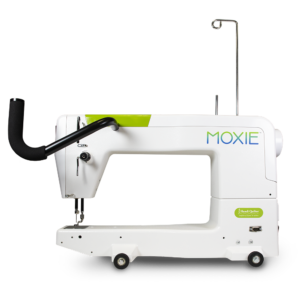
The original Moxie gives you 15 inches of free-motion quilting freedom. Forget pin-basting or squeezing bulky quilts through a domestic sewing machine — the Moxie makes free-motion quilting a breeze.
Option 1: Moxie on the Little Foot Frame
- Same details as the Moxie XL — the 5-foot Little Foot Frame is perfect for tight studios. Requires optional frame conversion kit required to convert frame to use the Moxie.
- Frame footprint: 4 feet by 5 feet. Allow for about 6.5–8 feet wide if you place one short side against a wall.
- Comes with quilt clamps and the Little Buddy attachment for quilts up to 48 inches wide.
Diagram
This diagram shows exactly how much space you’ll need. The white area represents the actual 4-foot by 5-foot footprint of the Little Foot Frame. The grey area shows the extra room you’ll need to move around the frame comfortably as you quilt.
Diagram of the Little Foot Frame footprint
Tip: You can place one short end of the frame against a wall to save space. This reduces the total width needed to about 6.5 to 8 feet.
Option 2: Moxie on the Loft Frame
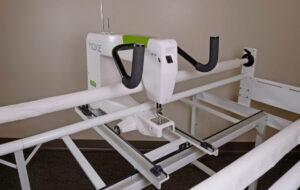
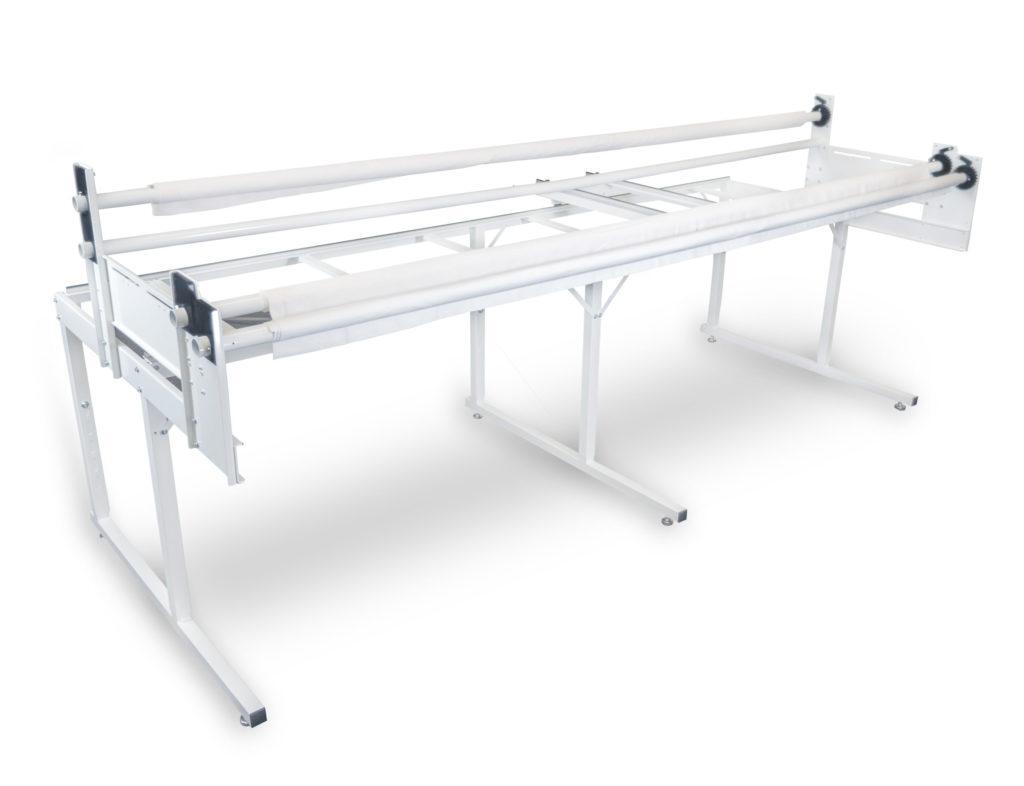
- The versatile Loft Frame works brilliantly with the Moxie.
- 8 feet long standard, or extend to 10 feet with the optional 2-foot extension.
- Actual footprint: 4.5 feet by 8–10 feet. Plan for around 10–12 feet wide if you put one side against a wall.
Diagram
This diagram shows exactly how much space you’ll need. The white area represents the actual frame size — 4.5 feet wide by 8 (or 10) feet long. The grey area shows the extra room you’ll need to move around the frame comfortably while quilting.
Diagram of an 8-foot or 10-foot Loft Frame
Tip: You can place one side of the frame against a wall to save space. Doing this reduces the total width needed to about 10 to 12 feet, instead of the full 12 to 14 feet.
Moxie ST
How much space does the Moxie ST need?
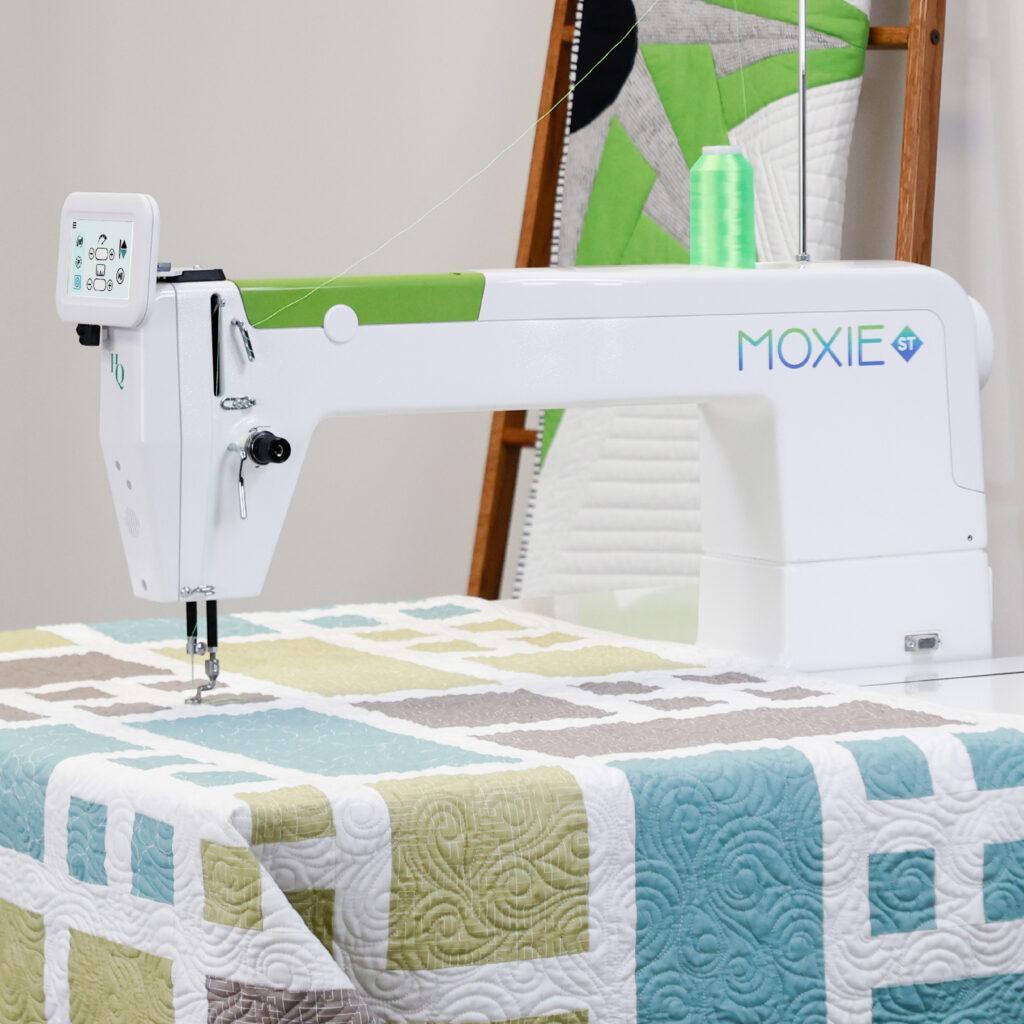
The Moxie ST is ideal for quilters with limited studio space who prefer to sit and guide the fabric under the needle. No more wrestling bulky quilts through a domestic sewing machine — enjoy 18 inches of quilting space and beautiful, consistent stitches thanks to built-in stitch regulation.
How much space does the Moxie ST with the Insight Table need?
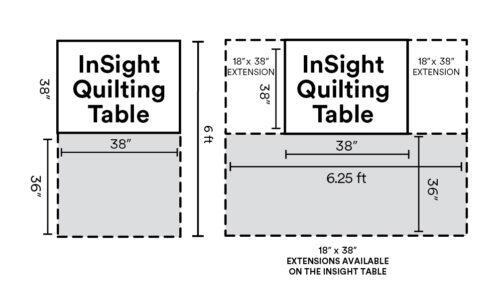
The Moxie ST comes with the HQ InSight Table, which includes built-in stitch regulation. The table has a large, smooth surface to fully support your quilt as you move it under the needle. The table itself measures 38 inches by 38 inches. The only extra space you’ll need is for your chair.
Diagrams
How much space does the Moxie ST with the Insight Table need?
In the diagrams, the white area shows the size of the table and the grey area shows the space you’ll need for your chair. A second image shows how the space changes when you add side extensions.
Optional Table Extensions
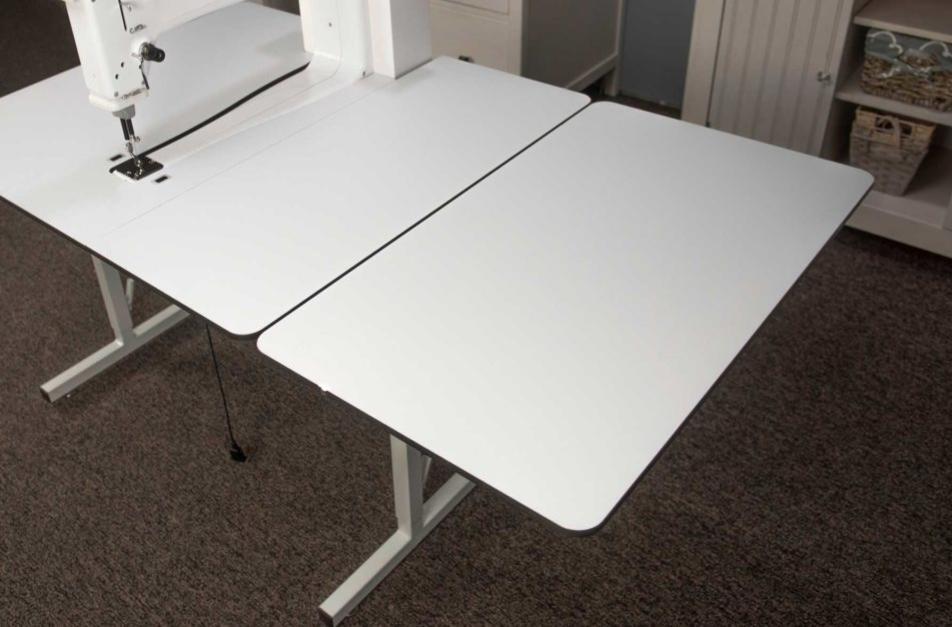
You can add 18 extra inches to each side of your HQ Insight Table with the optional HQ Table Side Extensions. They’re quick to attach and fold down neatly when not in use. If you’ve done any stationary machine quilting, you’ll know how important it is to keep your quilt well supported to prevent drag. When quilting larger quilts, these extensions make all the difference by giving you more working room. Add one to each side for a total of 36 extra inches of space.
Fun Facts
- Good to know! Adding Pro-Stitcher to any of our moveable machines won’t change your space requirements — it just makes finishing your quilts quicker and even more fun.
- Tight on space? If you’re working with a small studio but have your heart set on a specific machine, have a chat with your local retailer (you can find your nearest one HERE) or give our Customer Relations team a call on (02) 4337 3737. We’ve got plenty of clever ideas to help make your longarm dreams work in tighter spaces.
- Add wheels! All Handi Quilter frames and tables can be fitted with optional casters, making it easy to move your longarm around your studio. If you need to push your machine aside to use your room for other things, casters are a must-have.
Still have questions?
We’re here to help!
Visit your local retailer — not sure who that is? Find yours HERE.
Give us a call — our friendly Customer Relations team is ready to help. Call (02) 4337 3737.
Send us an email — reach us at info@handiquilter.com.au
Next steps
Now that you know exactly how much space you’ll need, why not take a Moxie for a test drive? Visit your nearest Handi Quilter Australia retailer to see it in action. Find your closest retailer HERE.
Now that you know how much space you’ll need, why not take an Amara for a test drive? Pop in to your local Handi Quilter Australia retailer to see it in action.
Or jump over to the Handi Quilter website to learn more about the Moxie family and all our longarm machines — just click on the “Machines” tab to explore.
Follow us on Social Media: